How to List Your Business on Google Maps – Beginner Guide
In today’s digital world, most people search online before visiting a shop, office, restaurant, or service center. When people search for a place, they usually use Google Maps to find the location, contact details, reviews, and directions. So, if your business is not listed on Google Maps, many customers may not find your business. Listing your business on Google Maps is very important for business growth.
The good news is that adding your business to Google Maps is free and easy. You only need a Google account and some basic business information. In this blog, you will learn how to list your business on Google Maps step by step.
How to List Your Business on Google Maps

Google Maps business listing is a free service provided by Google that allows business owners to add their business information to Google Search and Google Maps. By creating a listing, you make it easier for potential customers to find your location, contact details, and customer reviews. Understanding how to list your business on Google Maps is the first step toward building a strong online presence and attracting more local customers to your store or office. It acts as a digital storefront that stays open 24/7, providing essential details to anyone searching for services like yours.
What is Google Maps Business Listing?
Google Maps business listing is a free service provided by
Google
You can manage your business information using
Google Business Profile.
With this tool, you can add your business name, address, phone number, website, photos, business hours, and customer reviews.
When your business is listed on Google Maps, customers can:
- Find your business location
- Call your phone number
- Visit your website
- See photos of your business
- Read customer reviews
- Get directions
- Check business hours
This makes it easy for customers to find and contact your business.
Why Listing Your Business on Google Maps is Important
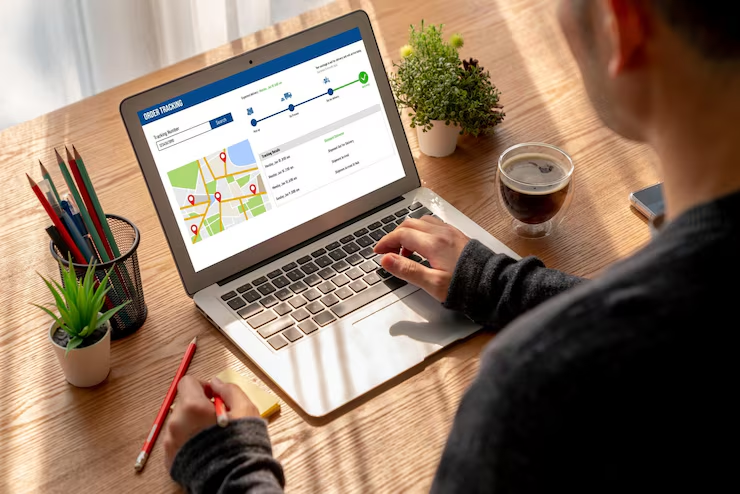
There are many benefits to listing your business on Google Maps.
First, it helps customers find your business easily. When people search for services like “bakery near me” or “digital marketing agency near me,” Google shows nearby businesses on the map.
Second, it is free marketing. You do not need to pay money to list your business on Google Maps.
Third, it increases your business visibility. More people will see your business online.
Fourth, it builds trust. If your business has photos, reviews, and complete information, customers trust your business more.
Finally, it helps you get more customers and grow your business.
Now let’s look at the steps to add your business to Google Maps.
How to List Your Business on Google Maps: 7 Easy Steps for Success
Step 1: Create a Google Account
Before listing your business, you need a Google account.
If you already have a Gmail account, you can use it.
If not, create a new Google account.
Step 2: Open Google Business Profile
Go to Google and search for Google Business Profile.
Open the website and click Manage Now.
Then sign in using your Google account.
This is where you will add and manage your business details.
Step 3: Enter Your Business Name
Enter your business name.
If your business already appears in the list, select it.
If it does not appear, click Add your business to Google.
Make sure the business name is correct.
Step 4: Choose Business Category
Next, choose your business category.
This is very important because Google shows your business based on category.
Examples:
- Restaurant
- Clothing Store
- Beauty Salon
- Digital Marketing Agency
- Mobile Shop
- Grocery Store
- Bakery
- Hospital
Choose the category that best matches your business.
Step 5: Add Business Location
Enter your business address correctly.
After entering the address, Google will show a map.
You need to place the location pin exactly where your business is located.
This helps customers find your business easily using directions.
Step 6: Add Contact Details
Next, add your contact information such as:
- Phone number
- Website link (if available)
This helps customers contact you easily.
Step 7: Verify Your Business
Verification is the most important step.
Google needs to confirm that you are the real owner of the business.
Google may verify your business through:
- Postcard verification
- Phone call
- Email verification
- Video verification
After Google completes the verification, your business will be listed on Google Maps and search.
How to Improve Your Google Maps Listing
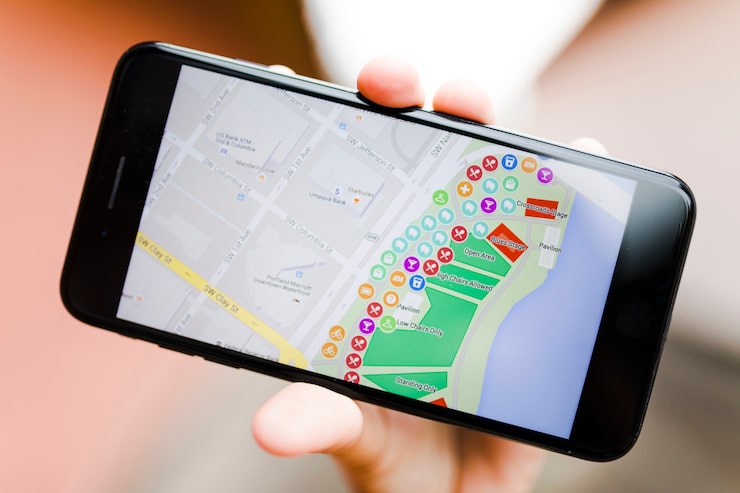
After listing your business, you should improve your profile to attract more customers.
Add Business Photos
Upload photos of:
- Your shop or office
- Products
- Services
- Staff
- Business logo
Businesses with photos usually get more customers.
Add Business Hours
Add your opening and closing time.
Update the timing if it changes.
Write Business Description
Write a short description about your business, services, and experience.
Get Customer Reviews
Remined your customers to leave a Google review.
Good reviews help your business grow.
Reply to Reviews
Always reply to customer reviews politely.
This builds trust and customer relationships.
Post Updates
You can post updates like:
- Offers
- Discounts
- Events
- New products
- Announcements
This keeps your profile active.
Common Mistakes to Avoid

Many business owners make mistakes while listing their business.
- Wrong business location
- Incorrect phone number
- Not verifying the business
- Not adding photos
- Not replying to reviews
- Choosing the wrong category
- Not updating business hours
- Incomplete business profile
Avoiding these mistakes will help your business perform better on Google Maps.
Tips to Top Rank Higher on Google Maps

If you want your business to appear at the top of Google Maps results, follow these tips:
- Complete your business profile fully
- Add high-quality photos
- Get more customer reviews
- Reply to all reviews
- Choose the correct business category
- Write a clear business description
- Post updates regularly
- Keep your business information updated
- Add services and products
- Add your website link
These steps help improve your local SEO and Google Maps ranking.
If you plan to do professional website service for your business, Contact us
Conclusion
Listing your business on Google Maps is very important in today’s online world. It helps customers find your business, contact you, and visit your location easily. The process is simple, free, and very useful for small businesses, shops, freelancers, and service providers.
If your business is not listed on Google Maps, you may lose many potential customers. So it is better to list your business as soon as possible. After listing, keep your profile updated, add photos, collect reviews, and stay active. This will help your business grow faster and reach more customers.
Adding your business to Google Maps is one small step, but it can make a big difference in your business growth.